


Radiant Imaging Labs has officially announced Radiant Photo 2.1, a significant update that focuses on performance, polish, and streamlined editing tools. Unlike apps that lean into generative effects, Radiant stays true to its philosophy of pixel integrity—helping photographers get the best out of what they actually captured.
The new version introduces a mix of fresh features and under-the-hood improvements, making everyday editing smoother, smarter, and more natural.

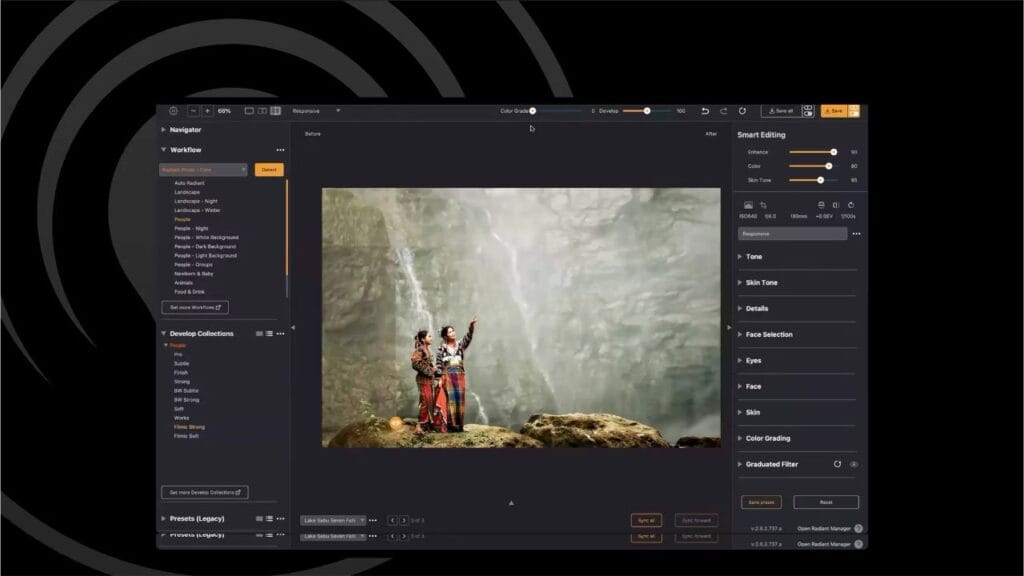
Radiant Photo 2.1 Key Highlights at a Glance
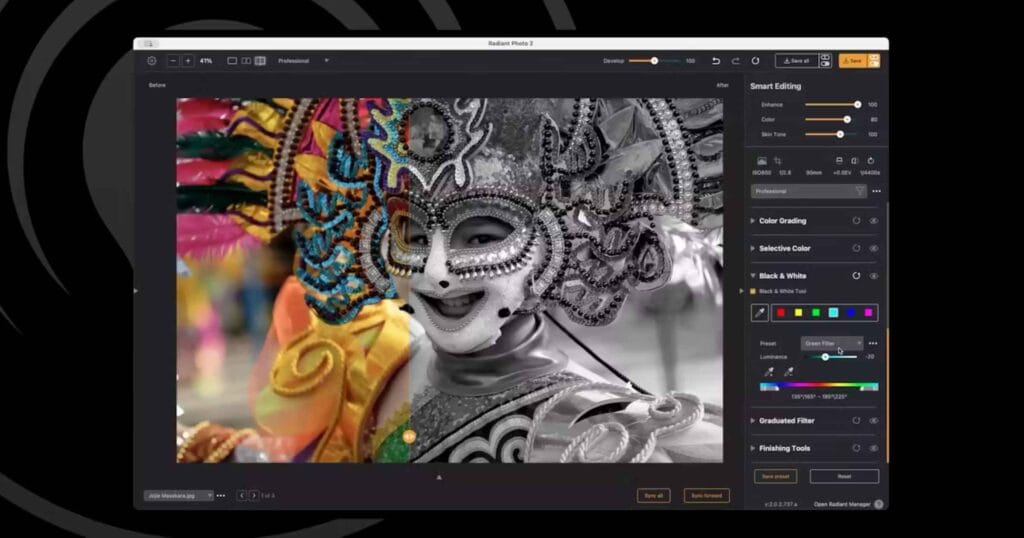
- Zone-Based Black & White tool with feathered control and partial color options
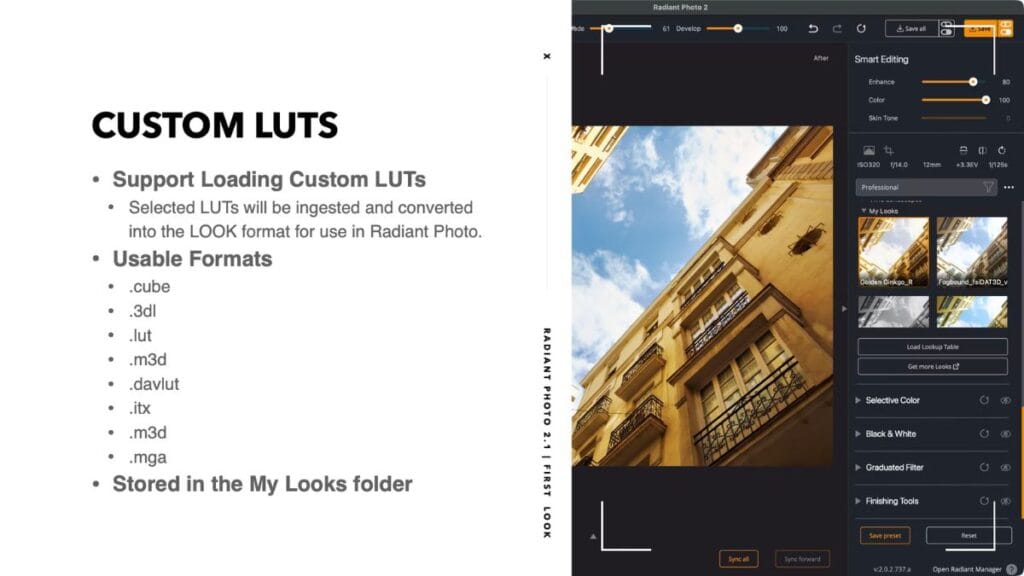
- Load your own LUTs in the Looks panel (.cube support and more)
- “Uber” sliders for quick, global fine-tuning
- Keyboard navigation for Looks/Presets + crop nudging and rotation shortcuts
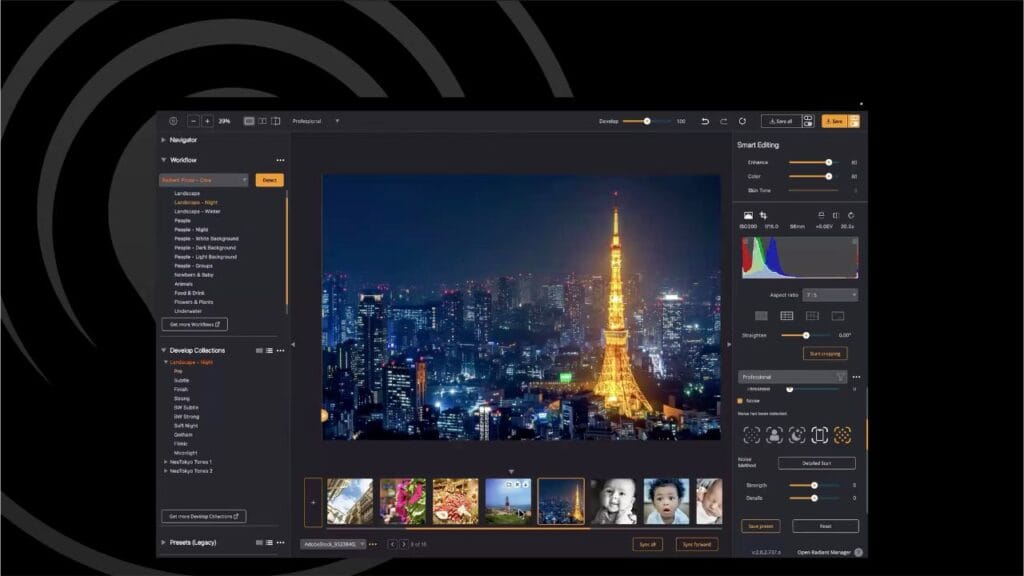
- Noise Reduction with Detailed Scan for smarter per-image handling
- New EXIF viewer with essential shooting data
- Open Recent and Reopen Last Session for non-destructive continuity
- Apple Photos external-editor workflow with revert support
- Lightroom plug-in optimizations with faster load times and batch export
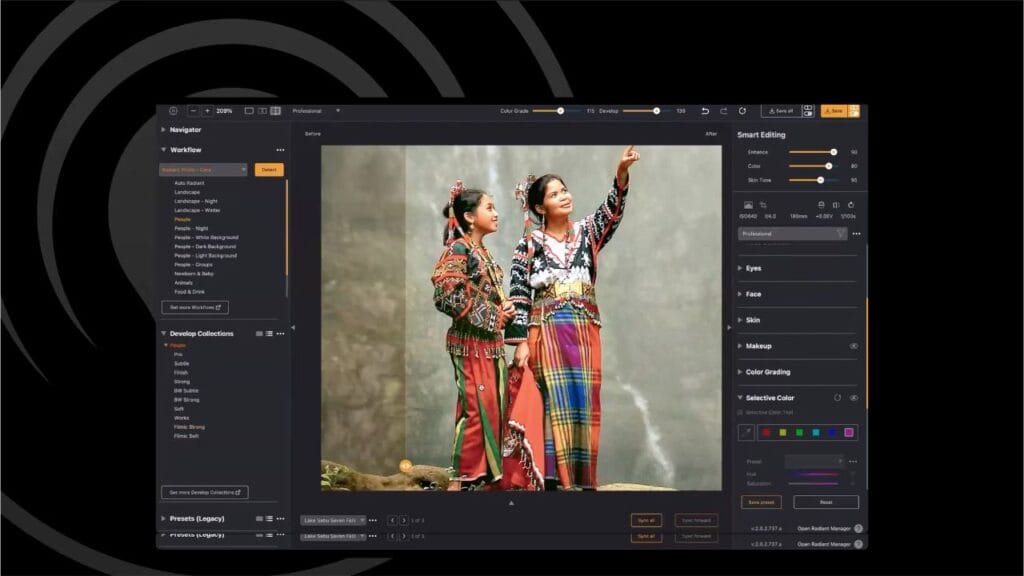
- Customizable workflows and scene-aware presets with import/export options
- UI refinements and 80+ performance fixes
- New Creative Packs including Newborn & Baby collections and Neo Tokyo urban tones
Smarter Black & White Editing
Traditional B&W tools rely on fixed color channels, but Radiant’s zone-based approach lets users reassign targets and feather ranges for smooth, halo-free results. Partial Color adds creative flexibility, allowing one or more hues to remain visible. Paired with LUT support, this system offers refined, filmic black-and-white conversions without heavy masking.
Bring Your Own LUTs
Responding to popular demand, Radiant Photo 2.1 supports importing third-party LUTs—including .cube files—directly into the Looks panel. This opens the door to film stock emulations, creative grading, negative inversions, and more. Users can also save multiple strength versions of a LUT and toggle quickly with arrow keys.
Faster Editing with Uber Sliders and Keyboard Shortcuts
Two new global sliders—Develop and Color Grade—allow fine-tuned adjustments across edits with exponential control. Keyboard shortcuts now extend to navigating presets and cropping, while small-screen users gain UI toggles for a cleaner workspace.
Noise Reduction That Adapts
Instead of applying a single blanket method, Detailed Scan now evaluates images and picks the most suitable reduction type (e.g., Night, Phone, Portrait). The system balances smoothness and detail retention, keeping results natural without overprocessing.
Continuity and Workflow Integration
Radiant Photo 2.1 continues to expand its non-destructive editing approach:
- Sidecar files save every adjustment for reopening later.
- Open Recent and Reopen Last Session bring back previous work instantly.
- Apple Photos users now get seamless round-trip editing with revert-to-original support.
- Lightroom plug-in users benefit from faster load times, a new Keep Running mode, and headless batch export.
Workflows also become more customizable—photographers can now assign their own presets to scene-aware modules and share them across devices.
Creative Packs: Newborns to Neon
Two new creative LOOKS packs will hit the marketplace alongside the update:
- Newborn & Baby Collection: tuned for young skin tones and portraits, with presets like Filmic, Instant Film, Dreamtime, and Sepia.
- Neo Tokyo Tones: bold urban collections optimized for neon-lit cityscapes and nighttime streets.
Both packs integrate seamlessly with the new workflow and B&W tools.
Performance, Fixes, and Philosophy
Beyond features, Radiant Photo 2.1 emphasizes reliability. Over 80 fixes and UI refinements are included, with the development team committing to monthly polish updates based directly on user reports.
Radiant also underscores its core philosophy:
- Assistive, not generative—no fake pixels or fabricated skies.
- Natural first—edits should look realistic, not overdone.
- Privacy-respecting—no cloud uploads, everything processes locally.
- Open workflows—works smoothly with Apple Photos, Lightroom, Photoshop, Mylio, and external drives.
Availability
Radiant Photo 2.1 is expected to roll out by the end of August. Users will be notified through the Radiant Manager app, which also handles installation and updates.
To update:
- Launch Radiant Manager from within Radiant Photo or from its installation folder.
- Check for updates and click Update if available.
- Quit host apps like Photoshop or Lightroom before updating to avoid issues.